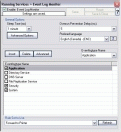
Detail view | | | Event Log Monitor | | EventReporter monitors Windows event logs. All currently-existing logs are fully supported: the standard Windows Event Logs, the three new logs introduced by Windows 2000 as well as custom event logs and the brand-new Window Vista event logging system. Also supported are Windows event log files. That feature supports NAS-devices, which often offer log information in Windows event log file format (.evt). By monitoring these files, SAN devices, too, can be monitored in near-real-time. |
|
|
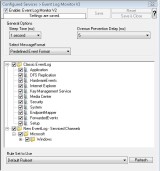
Detail view | | | Event Log Monitor V2 | | EventReporter monitors Windows event logs. All currently-existing logs are fully supported: the EventLog Monitor V2 is especially designed for the use with Windows Vista, Windows 7 and higher. This makes you capable of using the all-new and advanced EventLog structure of the most recent version of Windows. |
|
| | |
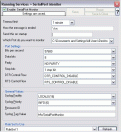
Detail view | | | Serial Port Monitor | | The serial port monitor service allows monitoring devices attached via local communications ports. Actually, this is not limited to serial (RS232) devices – devices connected via e.g. LPT ports can also be monitored as long as the device provides a proper interface to the port device. |
|
| | |
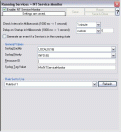
Detail view | | | Windows Services Monitor | | This feature is used to monitor if vital operating services are running. The monitor continuously checks all services set to “automatic” startup. If such a service does not run, an event is generated and passed to the rule engine (which, for example, can restart the service). |
|
| | |
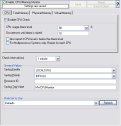
Detail view | | | CPU/Memory Monitor | | The Windows CPU/Memory monitor checks the load of both CPU and Memory. A high load can be quickly detected and can be used to trigger notifications or even corrective actions before problems arise. |
|
| | |
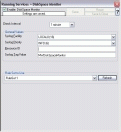
Detail view | | | Disk Space Monitor | | The disk space monitor checks the local machine. Low disk space can quickly be detected. Notifications or corrective actions can be triggered before real problems arise. |
|
| | |
 Detail view Detail view | | | File Monitor | | The file monitor monitors the content of a text file just as the event monitor monitors the event log. Its purpose is to gather vital information that is stored in system text files. Many applications do not write events to the event log but to a text file. This is also the case with many Microsoft applications (for example the WINS log). The file monitor can also gather Internet Information Server (Windows’ web server) log files. This is very useful for monitoring web activity and detecting attacks. |
|
| | |
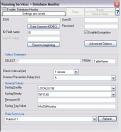
Detail view | | | Database Monitor | | The database monitor is used to monitor database tables. It periodically checks a database table for new records and if it finds them, generates an event from each record. For example, this monitor can act as a database-to-syslog forwarder. |
|
| | |
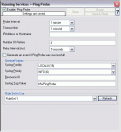
Detail view | | | Ping Probe | | Ping probe is typically used to check the availability of a remote system. The ping probe periodically sends ping messages. As long as responses are received, nothing happens. If no response is received, it generates an event and passes it to the rule engine. As ping messages can get lost, the ping probe will retry failed probes before it reports an error. Both the number of retries and the retry interval can be specified |
|
| | |
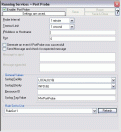
Detail view | | | Port Probe | | Port probe helps to monitor a specific service on the remote machine. It tries to connect to the service port and if it fails, the service is definitely not running. In this case, an event will be generated that is definitely an indication of problems. It is very similar to ping probe with a key difference that it does not check the IP stack availability but rather a specific TCP port. |
|
| | |
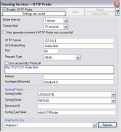
Detail view | | | HTTP Probe | | The HTTP Probe connects to a HTTP Server, and sends a valid HTTP request as configured. This can be used to check the alive status of web servers . |
|
| | |
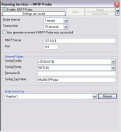
Detail view | | | NNTP Probe | | NNTP probe checks if a NNTP server is actually alive. |
|
| | |
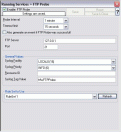
Detail view | | | FTP Probe | | FTP probe checks if a FTP server is actually alive. |
|
| | |
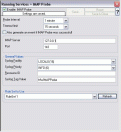
Detail view | | | IMAP Probe | | IMAP probe checks if a IMAP server is actually alive. |
|
| | |
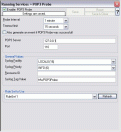
Detail view | | | POP3 Probe | | POP3 probe checks if a POP3 server is actually alive. |
|
| | |
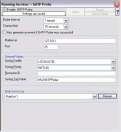
Detail view | | | SMTP Probe | | SMTP probe checks if a SMTP server is actually alive. |
|
| | |
Listeners | | |
| | |
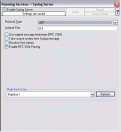
Detail view | | | Syslog Server | | This is a full-featured syslog server, including support for RFC 3195 and syslog via TCP. |
|
| | |
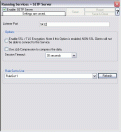
Detail view | | | SETP Server | | MonitorWare agent configures a SETP server service. A SETP server is used inside the MonitorWare line of products to ensure reliable delivery of events. SETP traffic can optionally be SSL-protected. |
|
| | |
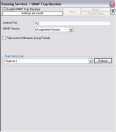
Detail view | | | SNMP Trap Receiver | | SNMP Trap Receiver service allows to receive SNMP messages. MonitorWare Agent supports decoding of MID values and also supports forwarding SNMP traps via other protocols, for example syslog. |
|
| | |
Data Collection | | |
| | |
 Detail view Detail view | | | Write To File | | All incoming events – no matter what source they came from – can be stored persistently.
File logging is used to write text files of received messages. One file per day is written. New entries are appended to the end of the file. |
|
| | |
 Detail view Detail view | | | Write To Database | | Database logging allows persisting all incoming messages to a database. Once they are stored inside the database, different message viewers as well as custom applications can easily browse them. |
|
| | |
 Detail view Detail view | | | Write To Event Log | | Allows any event (e.g. syslog, SNMP trap, protocol probes) to be written to the Windows Event Log. |
|
| | |
Alerting | | |
| | |
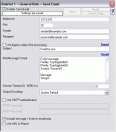
Detail view | | | Forward via Email | | Events of any kind can be forwarded via email. This is most often used for alerting. Together with your cell phone’s provider email to messaging functionality, you can often send events directly to your cell phone. |
|
| | |
Detail view | | | Net Send | | This helps to send short alert messages to recipient machine via Windows net send facility. Great for alerting logged-on adminstrators. |
|
| | |
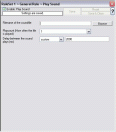
Detail view | | | Play Sound | | This action allows you to play a sound file. |
|
| | |
Miscellaneous | | |
| | |
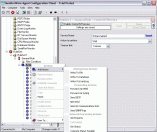
Detail view | | | Powerful Event Processing | | MonitorWare Agent is powerful and flexible rule engine processes all events based on a configured set of actions. An unlimited number of rules and actions allows tailoring to the specific needs. |
|
| | |
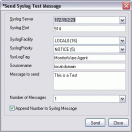
Detail view | | | Send Syslog Test Message | | The MonitorWare Agent client comes with Send Syslog Test Message. This option enables to check if syslog messages being sent properly to destination or not. |
|
| | |
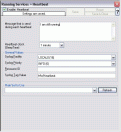
Detail view | | | Heartbeat | | The heartbeat process can be used to continuously check if everything is running well. It generates an information unit every specified time interval. That information unit can be forward to a different system. If it does not receive additional packets within the configured interval, it can doubt that the sender is either in trouble or already stopped running. |
|
| | |
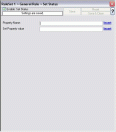
Detail view | | | Set Status | | Each information unit has certain properties e.g. EventID, Priority, Facility etc. You can create a new property and assign any valid desired value as well as filter to it. This is great for very demanding situations where complex rule sets are needed. |
|
| | |
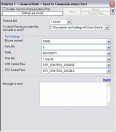
Detail view | | | Send to Communications Port | | It allows to send a string to an attached communications device, that is it sends a message through a Serial Port. |
|
| | |
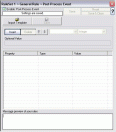
Detail view | | | Post-Process Event | | The post process action allows to re-parse a message after it has been processed e.g. Tab Delimited format. Such re-parsing is useful if you either have a non-standard event format or if you would like to extract specific properties from the message. |
|
| | |
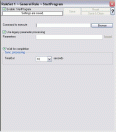
Detail view | | | Start Program | | With this, an external program can be run. Any valid Windows executable can be run. This includes actual programs (EXE files) as well as scripts like batch files (.BAT) or VB scripts (.vbs). |
|
| | |
Detail view | | | Friendly and Customizable User Interface | | New Skinning feature has been added to MonitorWare Agent Client. New Cloning feature added to MonitorWare Agent Client helps to clone a Ruleset, a Rule, an Action or a Service with one mouse click. Move up and Move down function has been added for Actions in the MonitorWare Agent Client. Wizards have been enhanced for creating Actions, Services and RuleSets. And other minute changes! |
|
| | |

Detail view | | | Other Miscellaneous Features | | There are certain features of MonitorWare Agent that have added amazing power to it. These include scalability, zero-impact monitoring, robustness, support for external events, ease of use, firewall support and ability to runs on large variety of Windows systems (Windows 8 / Windows Server 2012 / Vista / 2008/2003/XP and Windows 2000). To learn more about these, please see other miscellaneous features of MonitorWare Agent. |
|