MonitorWare Agent 2026 — New major release, new licensing, new release cycle

MonitorWare Agent moves to calendar-year 2026 majors, monthly updates, and License V2—15.x keys do not authorize the new major.

Overview

MonitorWare Agent enters a new calendar-year major line starting with 2026. This release introduces a monthly update cadence, modern License V2 file licensing, and a next-generation Configuration Client Preview in the installer.

If you are upgrading from MonitorWare Agent 15.x (or earlier), read this article before you deploy. Your existing licensee name and numeric license keys do not authorize the 2026 major—you will receive a new license.alic file from Adiscon.

A new way to read version numbers

Old major versions (through 15.x)

Historically, MonitorWare Agent used sequential major versions that increased independently of the calendar. Different Adiscon products used different major numbers (WinSyslog 18, EventReporter 19, MonitorWare Agent 15, and so on).

ComponentLegacy (15.x)New (2026+)
Example15.3.0.5742026.7.0.1001
MajorSequential 15Calendar year 2026
MinorFeature release (e.g. 3)Calendar month (e.g. 7 = July)
Third partReserved (0)Always 0
BuildService build counterService build counter

New major versions (from 2026)

Starting with the 2026 major, the year is the major version. The About dialog may display spaces after dots (e.g. 2026. 7. 0. 1001).

Why this matters: A license issued for 2026 is bound to that year. When Adiscon ships 2027 builds, you will need a license that lists 2027 in its allowed major years.

New release cycle: monthly updates within a year

Adiscon is aligning MonitorWare Agent with a predictable monthly rhythm:

  • One major per calendar year (2026, 2027, …)
  • Minor version = release month (January = .1, July = .7, December = .12)
  • Regular monthly builds with fixes and improvements during the year

The first general-availability minor for this announcement is 2026.7 (July). You can plan upgrades knowing that 2026.8, 2026.9, and so on will arrive through the year while staying on the same 2026 major line. Detailed change lists belong in release notes, not in this overview.

License V2: from name + keys to a signed license file

The largest operational change in the 2026 major is License V2. In MonitorWare Agent 15.x, licensing was stored as szLicensee and five numeric keys (nLicenseKey1 through nLicenseKey5). The 2026 service reads a signed license file instead; those legacy fields are ignored.

TopicLegacy keysLicense V2 (2026+)
StorageRegistry / config fields (szLicensee, nLicenseKey1-5)license.alic file
Customer inputLicensee name + five numbersDeploy file; optional szLicenseV2Path
SecurityArithmetic encodingCryptographic signatures (offline validation)
Cross-majorKeys tied to old algorithmNew major requires new file
TrialLegacy heuristicsBuilt-in eval window

Important: Keys from MonitorWare Agent 15.x do not carry forward. Contact Adiscon support or sales to obtain a new license.alic for your edition.

Licensing

License V2 details and migration

What you use now (License V2)

File namelicense.alic
Default location%ProgramData%\Adiscon\MonitorWare\license.alic
ConfigurationszLicenseV2Path — optional path to the file (path only, not license text)
FormatCryptographically signed, offline-validated token (not editable by hand)
Old key fieldsIgnored on the 2026 major

Editions (Basic, Professional, Enterprise) still exist as commercial labels. Remote Event Log and client connection limits are enforced from signed entitlements in the license file. Trial licenses are explicit in the signed file; if no valid file is present, a built-in evaluation window may apply until it expires. Cryptographically invalid or revoked files do not qualify for that fallback.

Legacy license registration dialog with registration name and five numeric key fields
Legacy licensing (15.x): licensee name and numeric keys.
MonitorWare Agent 2026 configuration client License File tab with license.alic path and browse control
License V2: select or deploy license.alic.
License V2 verification dialog showing signatures verified
Verified License V2 status after deployment.

How to migrate to License V2

  1. Request a 2026 license file from Adiscon for MonitorWare Agent (correct edition and entitlements).
  2. Save the file as license.alic in the default directory, or set szLicenseV2Path to your preferred folder.
  3. Upgrade the service to the 2026 major build using your normal installer or deployment process.
  4. Open the configuration client and confirm license status shows registered (or trial if applicable).
  5. Restart the service after placing or updating the license file.
  6. Stop maintaining legacy key fields in new configurations—they are not used on 2026.

Configuration snippet (optional)

Administrators using file-based configuration may set:

szLicenseV2Path C:\ProgramData\Adiscon\MonitorWare\license.alic
MonitorWare Agent configuration client License File tab and YAML export showing szLicenseV2Path
Optional explicit license file path in configuration.

Frequently asked questions (licensing)

Do my 15.x license keys work on 2026?

No. The 2026 major requires a new License V2 file (license.alic). Contact Adiscon to obtain one.

Can I copy license.alic from another product?

No. Each license is issued for specific product SKUs (MWAgent, MWAgent-Pro, MWAgent-Enter). The service rejects mismatched products.

What if license.alic is missing?

The service may enter a time-limited built-in evaluation mode if no valid license is present. Cryptographically invalid or revoked files do not qualify for that fallback.

Do I need internet activation?

No for normal operation. License V2 is validated offline using embedded public keys in the product.

Will 2026.7 accept a license that only lists 2027?

No. The build year must appear in the license majorVersions list. A 2026 build requires 2026 (or a range that includes 2026).

Upgrade

Upgrade path and compatibility

Upgrade planning for MonitorWare Agent 15.x to 2026 should start with a License V2 request before production rollout. Install or upgrade to 2026.7 (July GA) or a later 2026.x monthly build within the same year major.

Next-generation Configuration Client Preview

The MonitorWare Agent installer for the 2026 major includes two configuration clients:

  • Established configuration client — familiar UI, updated for License V2 path and verification.
  • Next-generation Configuration Client Preview — modern WinUI-based workbench (adiscon-client-ng), shipped as a preview alongside the classic client.

The preview is intended for early adopters. Both clients target the same service and the same license.alic contract. Expect the preview label until Adiscon declares general availability.

MonitorWare Agent next-generation Configuration Client Preview About dialog showing version 2026.7.0.1001
Next-generation Configuration Client Preview in the installer.

What changed between 15.x and 2026 (overview)

The 2026 major is a platform refresh, not a single-feature update. Alongside calendar-based versioning and monthly updates, it introduces file-based License V2, expanded file/YAML configuration options, operational metrics (disabled by default), installer improvements, and ongoing reliability hardening across listeners, actions, and the core engine. For detailed changes in a specific month build, see the product release notes for 2026.7 and later.

MonitorWare Agent continues to focus on the most feature-rich agent in the Adiscon family; the 2026 line modernizes how you license, version, and configure the product. Edition and entitlement limits still govern remote Event Log monitoring and client connections as defined in your license.alic.

Frequently asked questions (upgrade)

Where is the license file?

Default: %ProgramData%\Adiscon\MonitorWare\license.alic

Is the nextgen client required?

No. It is a preview. The classic configuration client remains supported for License V2 deployment.

Where should backup tools copy the license?

Back up license.alic together with your configuration directory under the product’s ProgramData folder.

Next steps

  • Existing customers: Contact Adiscon support or sales to request your 2026 license.alic before or during upgrade.
  • New deployments: Install the 2026 major, deploy license.alic, verify in the configuration client, then roll out rules and services as usual.
  • Monthly updates: Check release notes for 2026.7, 2026.8, and subsequent monthly builds.

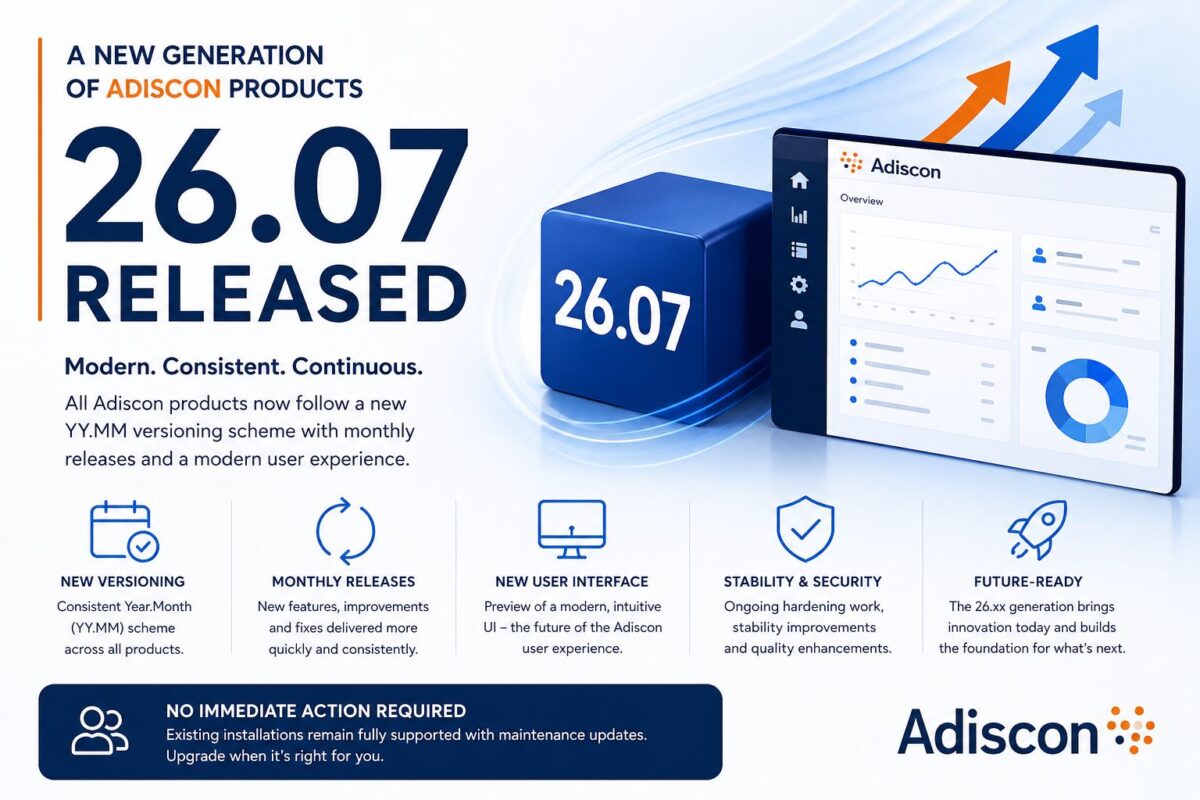
MonitorWare Agent 26.07 Released – A New Generation Begins

Learn about the new Adiscon product generation: 26.07 introduces YY.MM versioning, monthly releases, a modern UI preview, and continuous improvements.

We’re pleased to announce the release of MonitorWare Agent 26.07, part of a new generation of software across the Adiscon product portfolio.

With the 26.07 release, Adiscon introduces a consistent Year.Month (YY.MM) versioning scheme for all products. The new naming makes it easy to identify the latest release, while our planned monthly release cadence allows us to deliver new features, usability improvements, security updates, and bug fixes more quickly and consistently.

The 26.xx release series is the recommended platform for new installations and future upgrades. It will continue to receive new functionality and ongoing enhancements, while previous product generations remain fully supported with maintenance releases and stability updates. Existing installations do not need to migrate immediately. Customers can continue using their current product generation with confidence, while new features and long-term innovations will primarily be introduced in the 26.x release line.

Version 26.07 also introduces a preview of a new user interface. The existing Configuration Client remains fully supported, while the new interface provides a more modern and intuitive user experience and lays the foundation for future capabilities.

The 26.07 generation marks an important step in the evolution of Adiscon products—combining regular innovation with the stability and reliability our customers expect.

MonitorWare Agent 15.3 Released

We have just released MonitorWare Agent 15.3, a significant update focused on modernizing configuration workflows, enhancing operational visibility, and providing early support for the next generation of Windows Server environments.

This release introduces YAML configuration support for service configuration files. By enabling file-based YAML configurations, MonitorWare Agent 15.3 allows IT teams to manage their agent fleets using industry-standard, human-readable formats. This is a major step forward for administrators looking to integrate MonitorWare Agent into automated deployment pipelines and “Configuration as Code” environments.

Operational monitoring also sees a major boost with the introduction of Runtime Metrics. Administrators can now enable a dedicated HTTPS query endpoint to pull real-time service metrics. This provides deep visibility into the agent’s internal performance and processing state, making it easier than ever to integrate MonitorWare health data into centralized monitoring dashboards.

For those preparing for the future of Windows infrastructure, version 15.3 includes specific improvements to the Event Monitor service, enhancing message fallback and custom-channel cleanup for Windows Server 2025.

Continue reading “MonitorWare Agent 15.3 Released”

MonitorWare Agent 15.1 released

Adiscon is pleased to announce the release of MonitorWare Agent 15.1.

This release brings significant improvements to the platform’s reliability and functionality. The LogRotation system has been completely refactored, providing better performance and more reliable log file management. The Mail Action has been modernized with improved SMTP logic and better error handling for email delivery.

Key security and stability improvements include fixes for memory leaks in the REGEX Filter and file compression systems, as well as enhanced timestamp processing to prevent conversion errors. Event Log monitoring now supports microseconds precision for improved compliance with RFC standards.

Detailed information can be found in the version history.

Version 15.1 is a free download. Customers with existing 14.x keys can contact our Sales department for upgrade prices. If you have a valid Upgrade Insurance ID, you can request a free new key by sending your Upgrade Insurance ID to sales@adiscon.com. Please note that the download enables the free 30-day trial version if used without a key – so you can right now go ahead and evaluate it.

MonitorWare Agent 15.0 released

Adiscon is pleased to announce the release of MonitorWare Agent 15.0.0 Build 565.

This release brings major enhancements to the platform, including the introduction of DTLS Action for secure logging over UDP and microseconds support for timestamps, enhancing compliance with RFC5424 standards. The OpenSSL library has been updated to support TLS v1.3, providing the latest security enhancements.

Additionally, RELP Action now supports custom output encoding options for greater flexibility. File processing capabilities have been expanded, allowing compression and backup without triggering log rotation.

Detailed information can be found in the version history.

Version 15.0 is a free download. Customers with existing 14.x keys can contact our Sales department for upgrade prices. If you have a valid Upgrade Insurance ID, you can request a free new key by sending your Upgrade Insurance ID to sales@adiscon.com. Please note that the download enables the free 30-day trial version if used without a key – so you can right now go ahead and evaluate it.

MonitorWare Agent 14.5c released

Adiscon is pleased to announce the release of MonitorWare Agent 14.5c Build 561.

This update enhances the stability and performance of our log processing services. Key improvements include a fix for a memory leak in RFC5424 Syslog Header processing, ensuring better memory management, and an optimized log rotation mechanism to prevent repeated rotations on the same day.

Detailed information can be found in the version history.

Version 14.5c is a free download. Customers with existing 13.x keys can contact our Sales department for upgrade prices. If you have a valid Upgrade Insurance ID, you can request a free new key by sending your Upgrade Insurance ID to sales@adiscon.com. Please note that the download enables the free 30-day trial version if used without a key – so you can right now go ahead and evaluate it.

MonitorWare Agent 14.5b released

Adiscon is pleased to announce the release of MonitorWare Agent 14.5 Build 560.

This update enhances stability and performance in the EventLog Monitor V2 Service. Key improvements include better handling of XML data and increased support for larger XML attribute values.
Detailed information can be found in the version history.

Version 14.5b is a free download. Customers with existing 13.x keys can contact our Sales department for upgrade prices. If you have a valid Upgrade Insurance ID, you can request a free new key by sending your Upgrade Insurance ID to sales@adiscon.com. Please note that the download enables the free 30-day trial version if used without a key – so you can right now go ahead and evaluate it.

MonitorWare Agent 14.5a released

Adiscon is proud to announce the 14.5a release of MonitorWare Agent.

This update brings robustness and efficiency to the forefront. Key improvements include fixes for issues affecting large file logging and log rotation processes.

Detailed information can be found in the version history.

Version 14.5a is a free download. Customers with existing 13.x keys can contact our Sales department for upgrade prices. If you have a valid Upgrade Insurance ID, you can request a free new key by sending your Upgrade Insurance ID to sales@adiscon.com. Please note that the download enables the free 30-day trial version if used without a key – so you can right now go ahead and evaluate it.

MonitorWare Agent 14.5 released

Adiscon is proud to announce the 14.5 release of MonitorWare Agent.

Targeting system stability and performance, this release features crucial updates such as an upgrade to librelp version 1.11.0 and fixes in file handling and network error management.
Detailed information can be found in the version history.

Version 14.5 is a free download. Customers with existing 13.x keys can contact our Sales department for upgrade prices. If you have a valid Upgrade Insurance ID, you can request a free new key by sending your Upgrade Insurance ID to sales@adiscon.com. Please note that the download enables the free 30-day trial version if used without a key – so you can right now go ahead and evaluate it.

MonitorWare Agent 14.4 released

Adiscon is proud to announce the 14.4 release of MonitorWare Agent.

In this recent update, a significant enhancement has been made to the Syslog Action. It now robustly prevents concurrent TCP connection establishment retries in the rare case of an action attempting to open multiple connections to the same target simultaneously. Additionally, we’ve improved error handling in situations where the connection fails and Syslog Caching is enabled; the action will now correctly retry the primary server once syslog caching has been activated, ensuring smooth operation even with a backup syslog server enabled.

We’ve also made corrections to the EventLog Monitor V2, specifically resolving an issue that could cause failure in processing an EventLog Message due to problems in XML-Stream Processing. Furthermore, in the Send Email action, we’ve addressed an issue where server multiline replies were not detected correctly, thereby strengthening the overall email communication process.

Our team has worked on refining the LogRotate feature, focusing on improved error reporting for situations when the feature is unavailable due to licensing constraints. In our continuous efforts towards enhancing stability, the Network Core’s performance during closing connections has been substantially upgraded.

With MonitorWare Agent 14.4, we remain dedicated to providing the highest level of security and stability to support your network monitoring needs.

Detailed information can be found in the version history.

Version 14.4 is a free download. Customers with existing 13.x keys can contact our Sales department for upgrade prices. If you have a valid Upgrade Insurance ID, you can request a free new key by sending your Upgrade Insurance ID to sales@adiscon.com. Please note that the download enables the free 30-day trial version if used without a key – so you can right now go ahead and evaluate it.